From the first booking
to the final payment

Client bookings, galleries with photo proofing, and payments — for photographers, videographers, stylists and make-up artists.

Booking · Calendar · Proofing · Payment

14 days free, no card required.

01 · Booking · f/2.8

A new client
on one screen

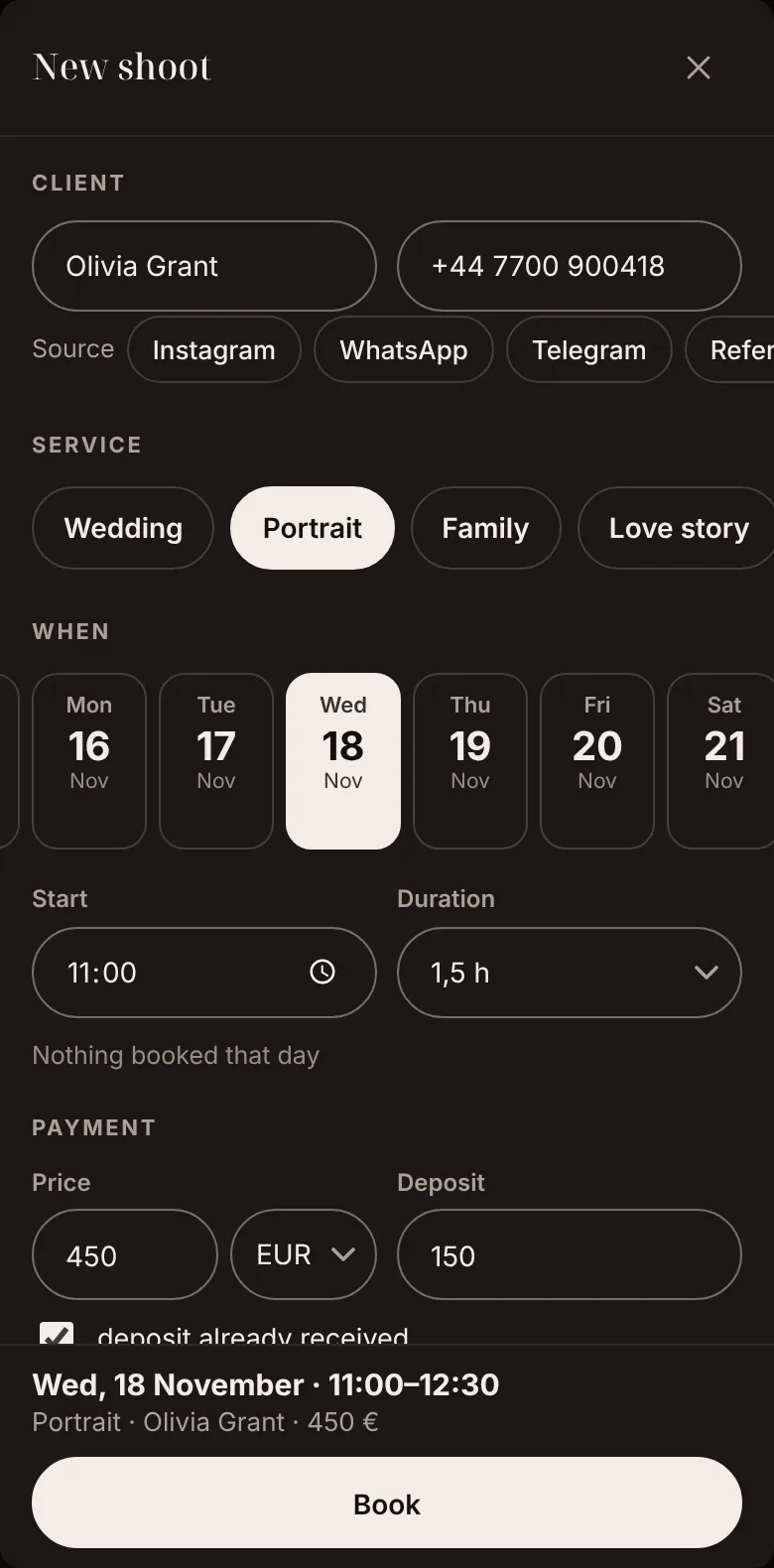
Day, time, price and deposit — on one phone screen, no scrolling. The booking lands in your calendar right away.
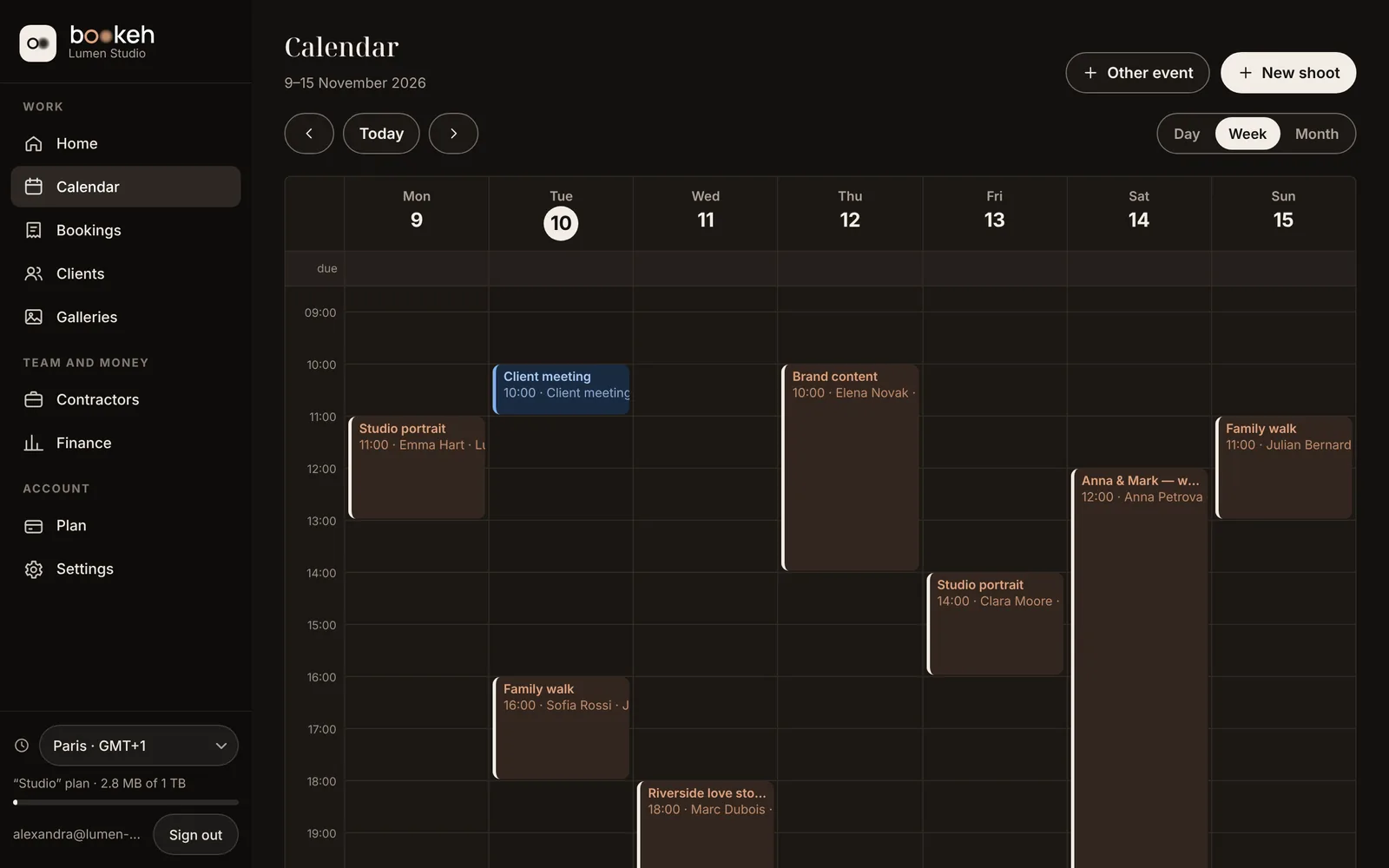
  • Busy days show up while you book — no double bookings.
  • Your Bookeh calendar appears in the Calendar app on iPhone and Mac; edits sync both ways.
  • You are in Paris, the shoot is in New York — the time stays right.
Bookeh calendar: a week of shoots
Quick booking on a phone: client, day, time, price and deposit
App screen · demo data

02 · Proofing · f/5.6

Clients pick their shots.
You get the list

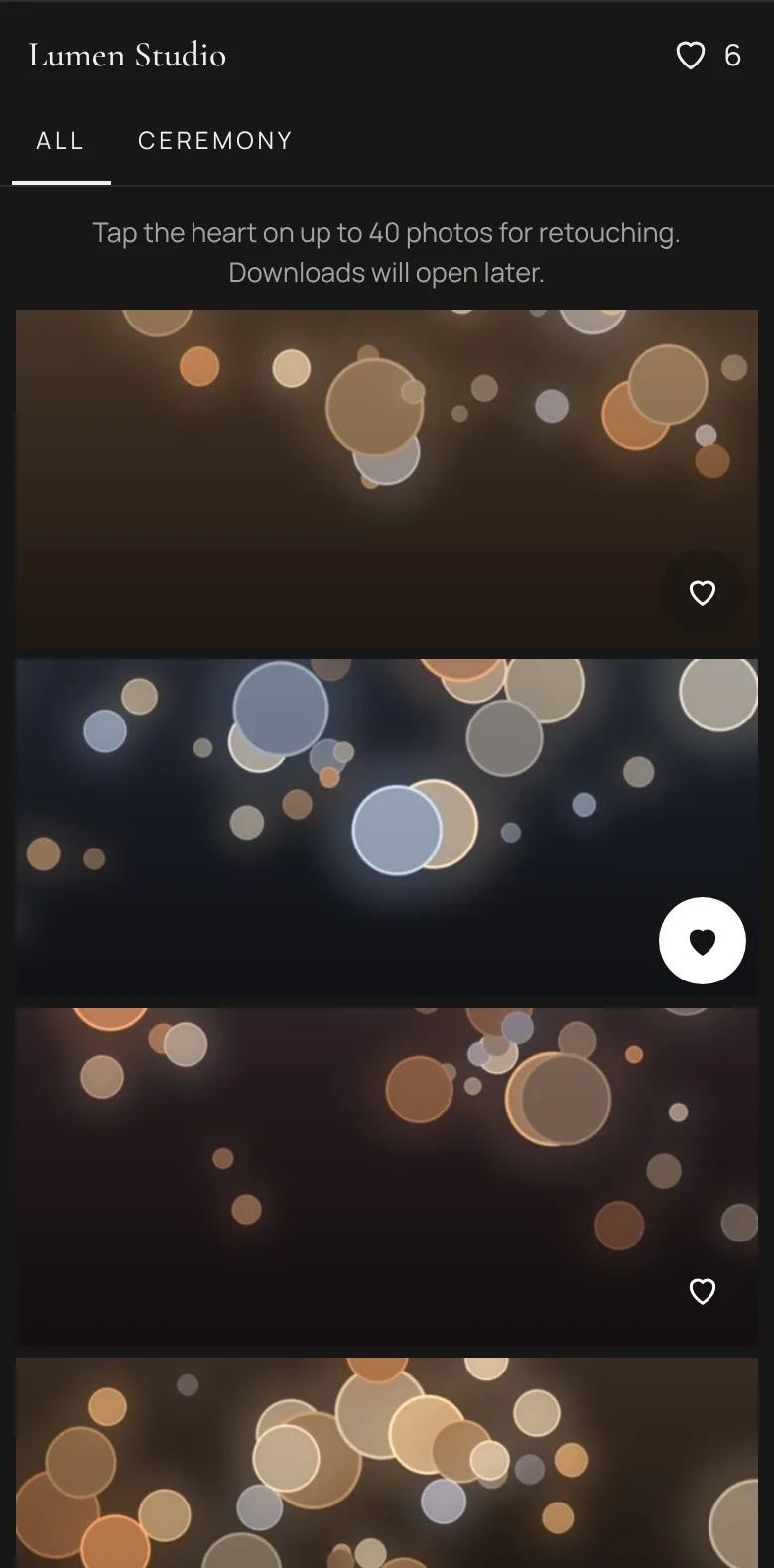
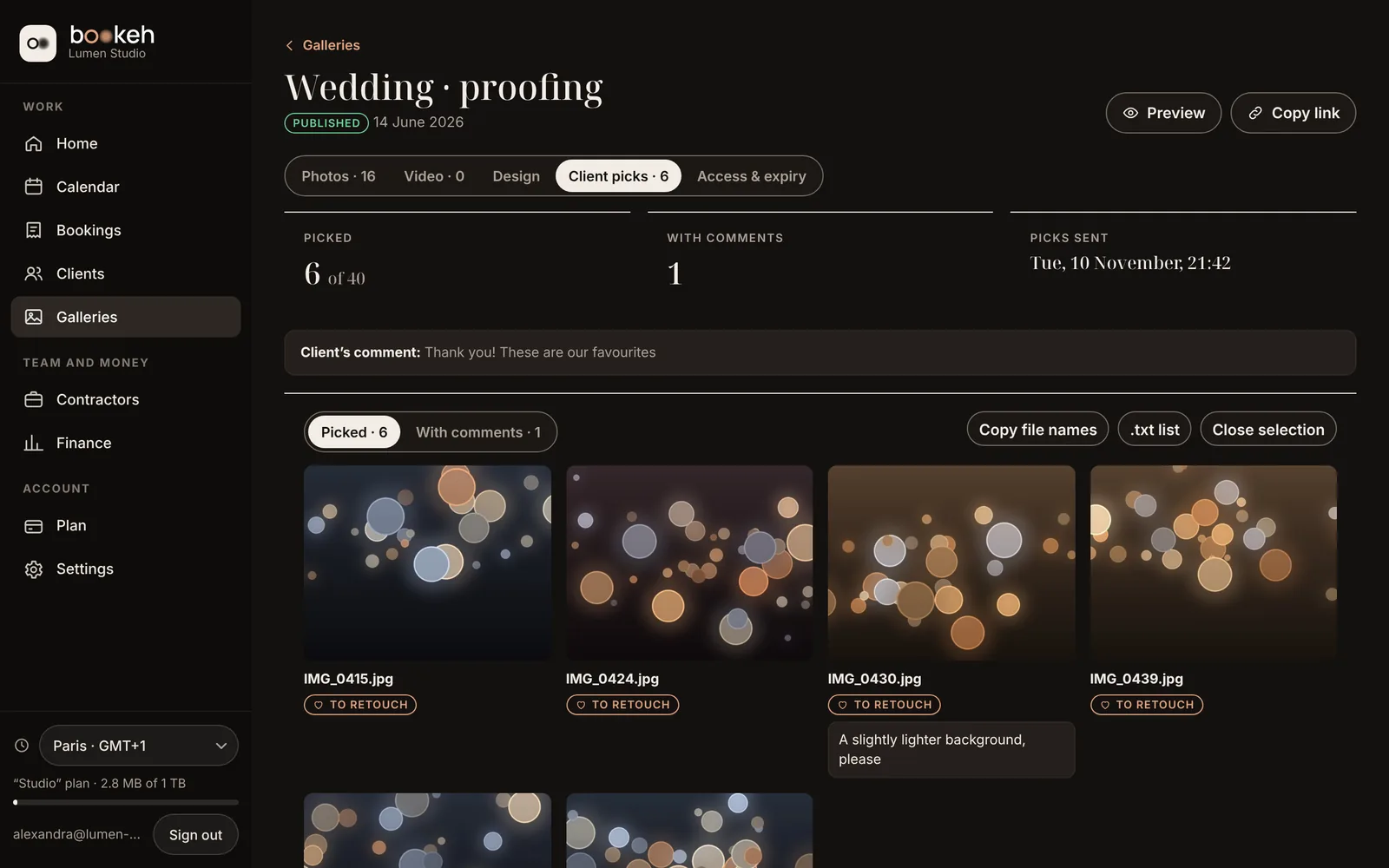
A gallery by link: clients mark frames for retouching and leave comments. You get the file names — paste them into Lightroom or Capture One search.
  • Password and expiry for the link, a limit on frames for retouching.
  • The watermark stays until the order is paid.
  • Download as an archive, and videos up to 5 GB in the same gallery.
Client’s selection in Bookeh: six frames, a comment and a “Copy file names” button
Gallery on the client’s phone: frames are marked with a heart
App screen · demo data

03 · Payments · f/8

Who has paid
is clear at a glance

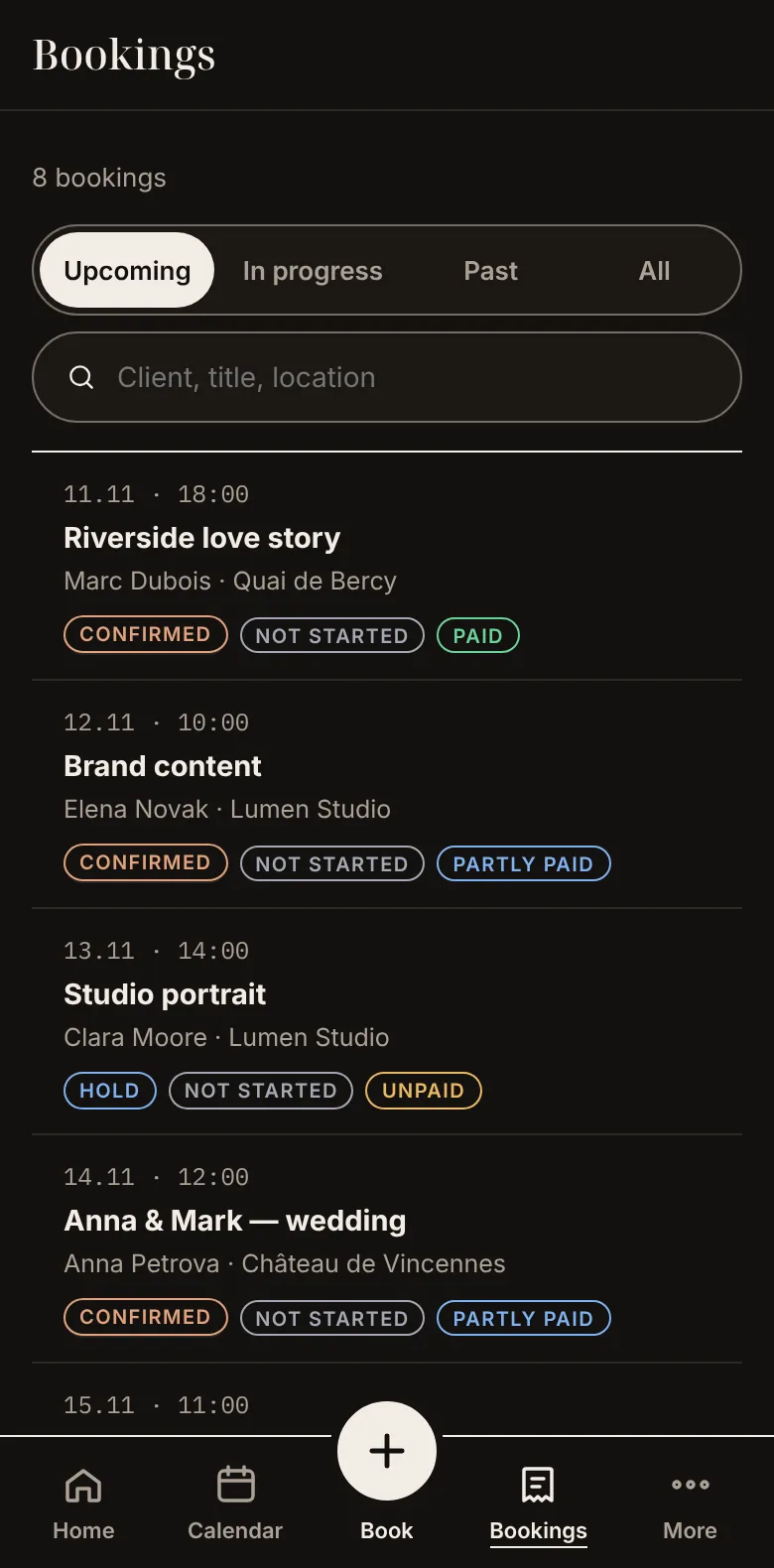
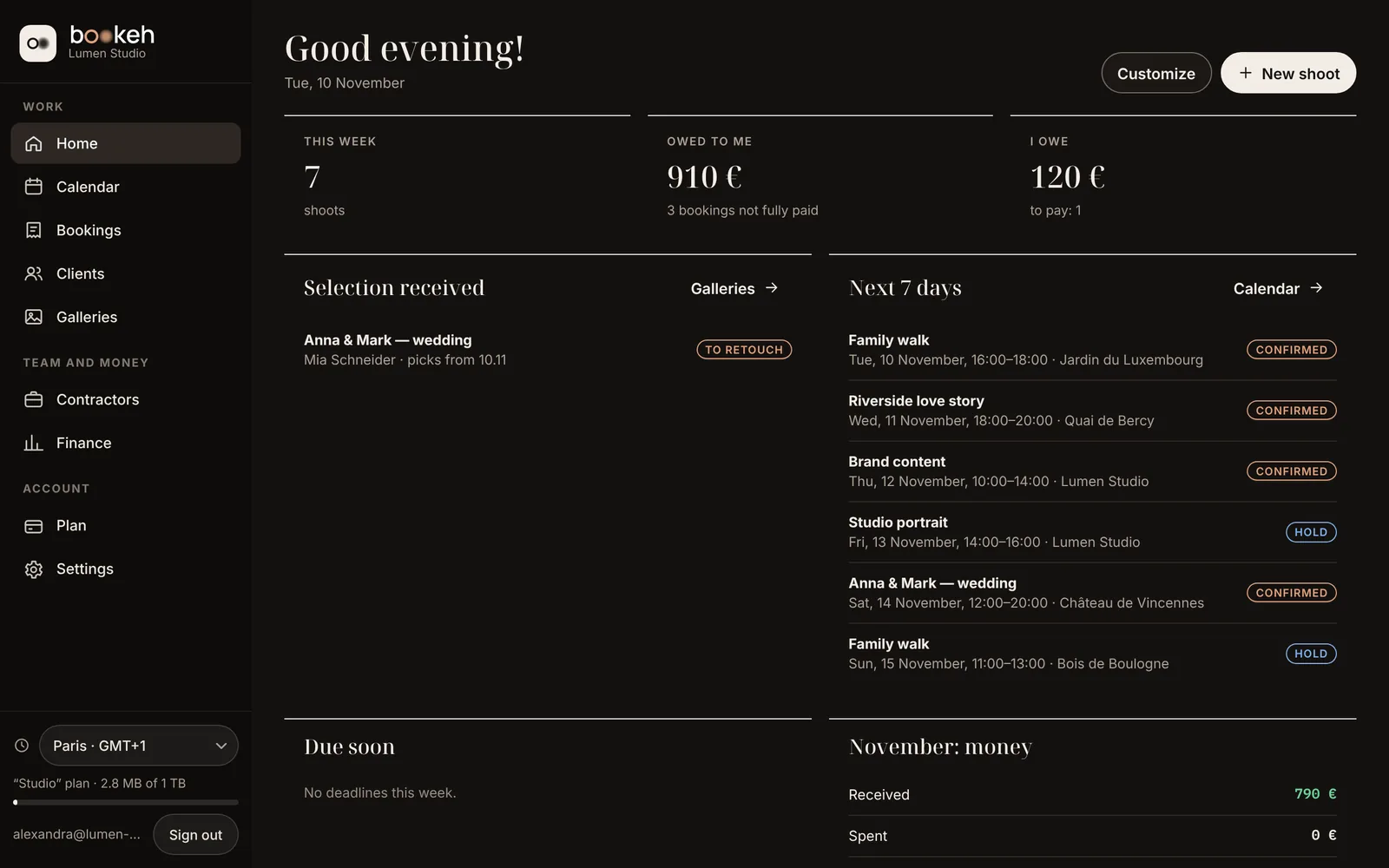
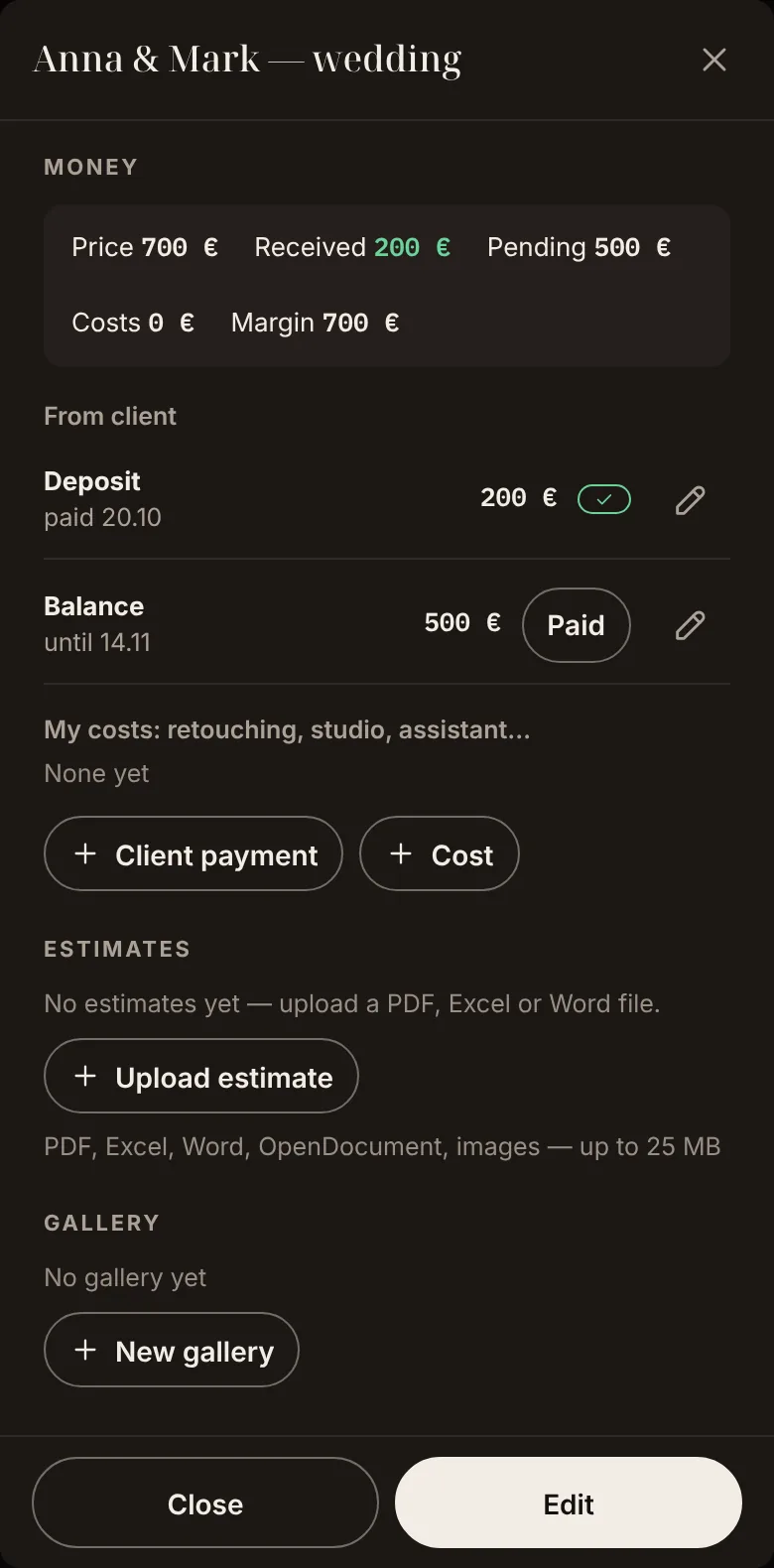
Every order has its own payments and status. Finance shows what you have received and what you are still waiting for.
  • Emails to clients from templates: booking confirmation, reminder.
  • The gallery opens without a watermark once the order is paid.
  • Quotes and contracts — as files right in the order card.
Home: what you are owed and upcoming shoots
Wedding order on a phone: deposit received, balance due
App screen · demo data

04 · Team · f/11

Your assistant sees the schedule.
Only you see the amounts

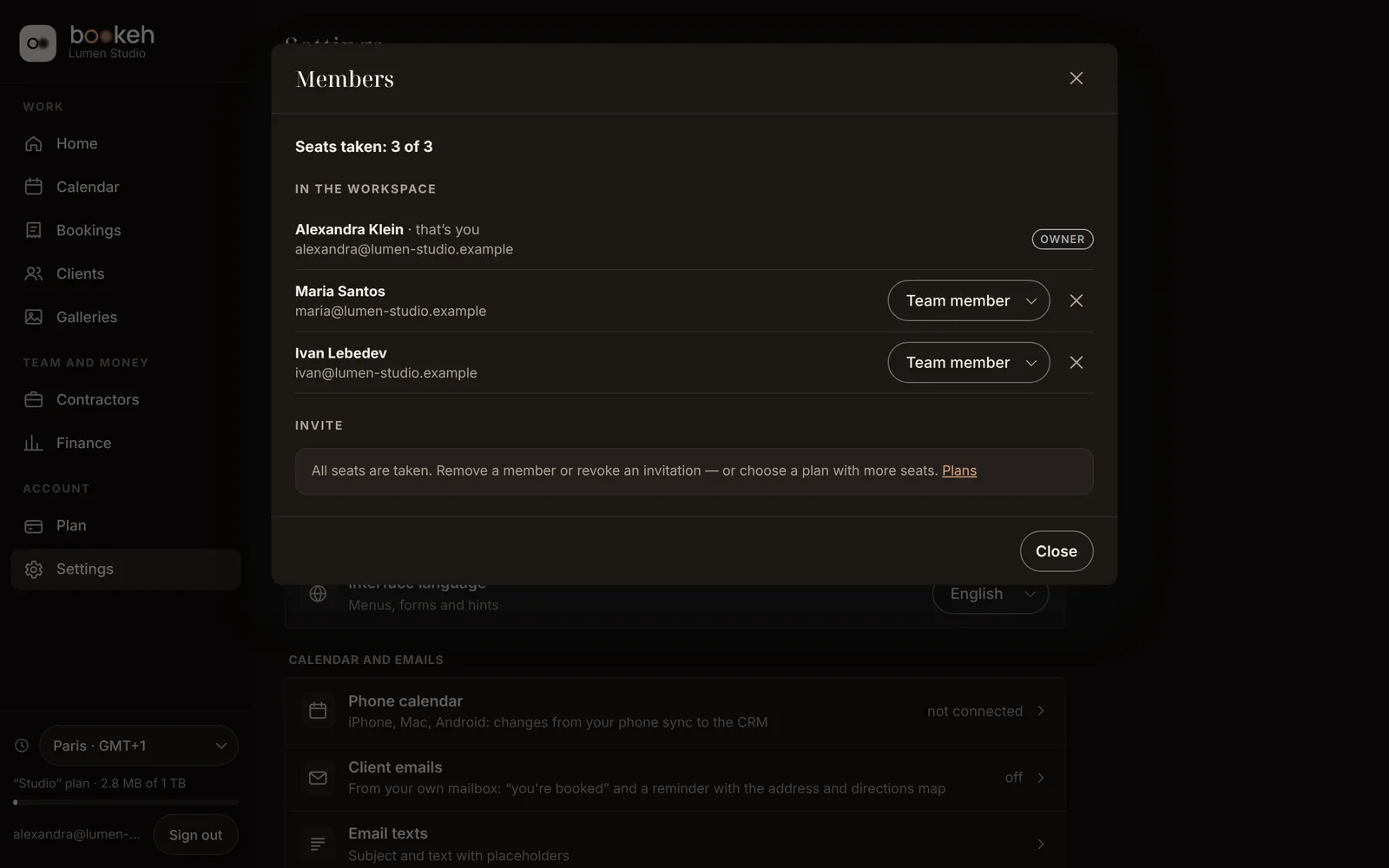
The Studio plan puts three people in one workspace. Team members work with bookings and clients but never see prices or payments — not on screen, not in the data.
  • Invite by link, change a role in one click.
  • Need more people? Add seats to Studio.
Members: the owner and two members, three of three seats taken
Orders on a member’s phone: dates, clients and statuses, no amounts
App screen · demo data

Built around your profession

At sign-up you pick your profession — it sets the sections and services you see. Nothing extra on screen.

  • Photographershoots, galleries, photo proofing
  • Videographershoots and video in the gallery
  • Stylistbookings and services
  • Make-up artistbookings and services
  • Event managerevents and vendors

Pricing

Start with the demo: 14 days free, no card. Paid plan prices are coming soon.

Demo

Free14 days

  • Up to 3 orders
  • 1 GB for files
  • 1 person
Try it free
for shoots with galleries

Pro

SOON

  • Unlimited orders
  • 1 TB for files
  • 1 person
Start with the demo

Studio

SOON

  • Unlimited orders
  • 1 TB for files
  • 3 people, extra seat — SOON
Start with the demo

Your data stays after the demo: the workspace becomes read-only until you choose a plan.

Questions

What happens when the demo ends?

All bookings, clients and galleries stay. The workspace becomes read-only: you can look at everything, and add new things once you choose a plan.

Can I work from my phone only?

Yes. A new booking takes one phone screen, and the Bookeh calendar can be connected to the Calendar app on iPhone and Mac.

What does my client see?

Only their own gallery, by link — with a password and expiry if you set them. They mark frames, leave comments and download the archive when you allow it.

Where are my files stored, and how much space do I get?

On Bookeh servers, in your workspace: 1 GB in the demo, 100 GB on Start, 1 TB on Pro and Studio. Delete a file and the space is freed.

Will a team member see how much I earn?

No. The member role has no amounts at all — not on screen, not in server responses.

How secure is it?

Each workspace is separated from the others at the database level. Sign in with a password or with Face ID and Touch ID. On someone else’s computer you can sign in so that nothing stays on it.

05 · All in focus · f/16

Bookings, galleries and payments
in one place

14 days free, no card required.